
Update Channel Managers
May 25, 2026
1 min read

Nancy Xiao
Accounts Manager
You can update the Channel Managers for an existing channel at any time.
Channel Managers are displayed to recipients, making it easy for them to know who to contact about the shared projects.
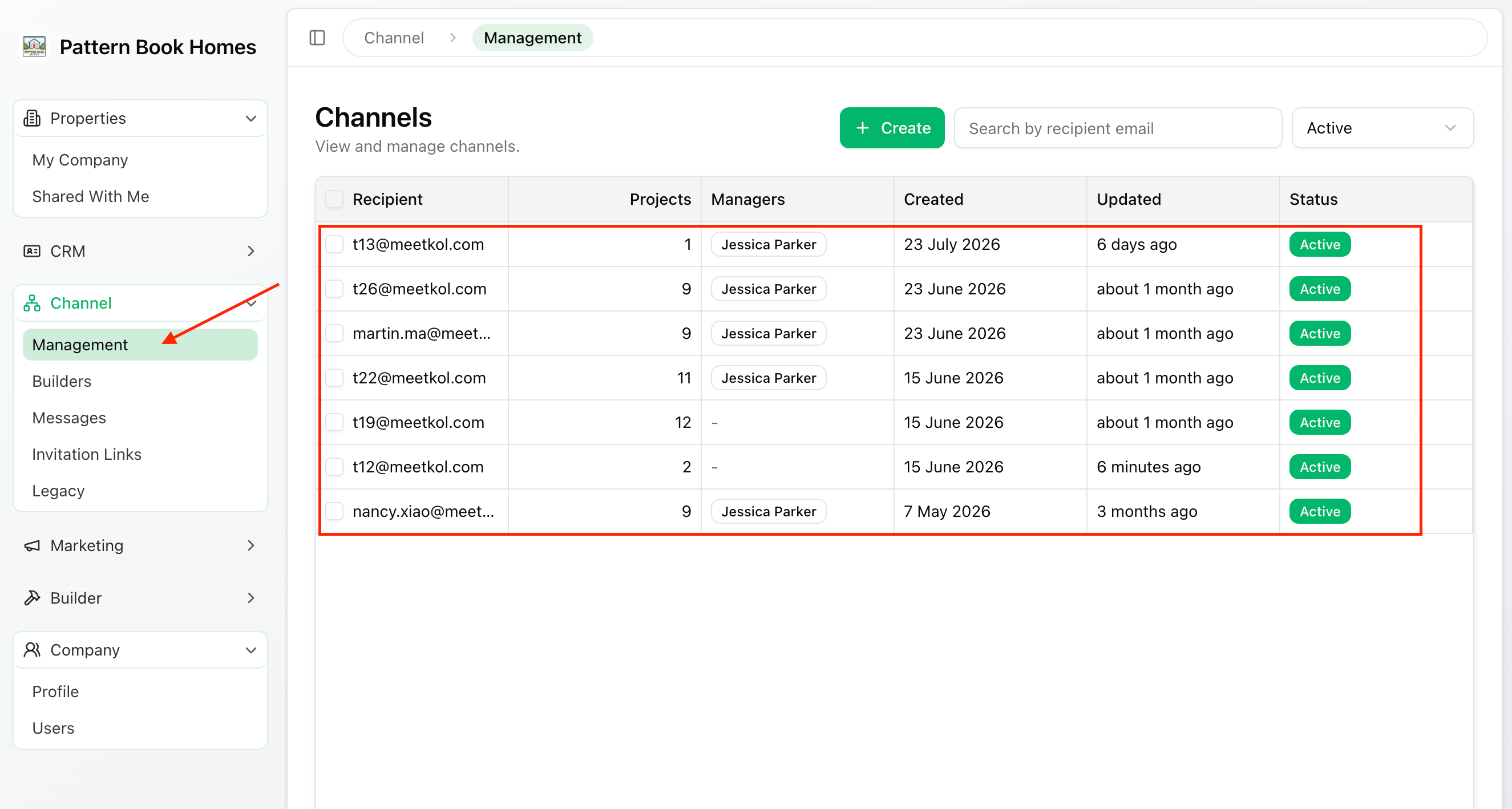
Step 1 – Open the Channel
From the left-hand menu, go to:
Channel → Management
Select the channel you want to update.
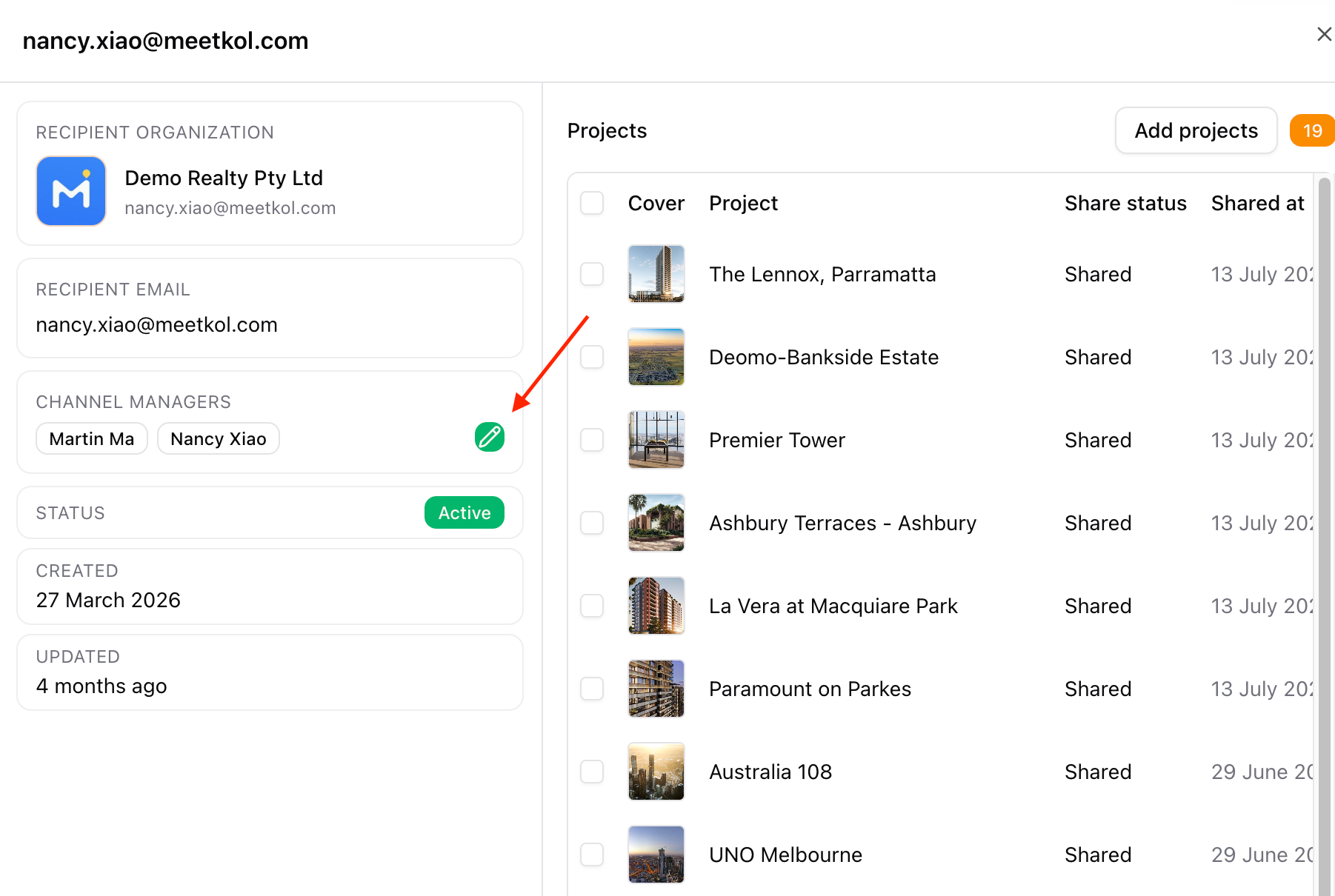
Step 2 – Edit Channel Managers
Hover over the Channel Managers field.
Click the green Edit (pencil) icon.
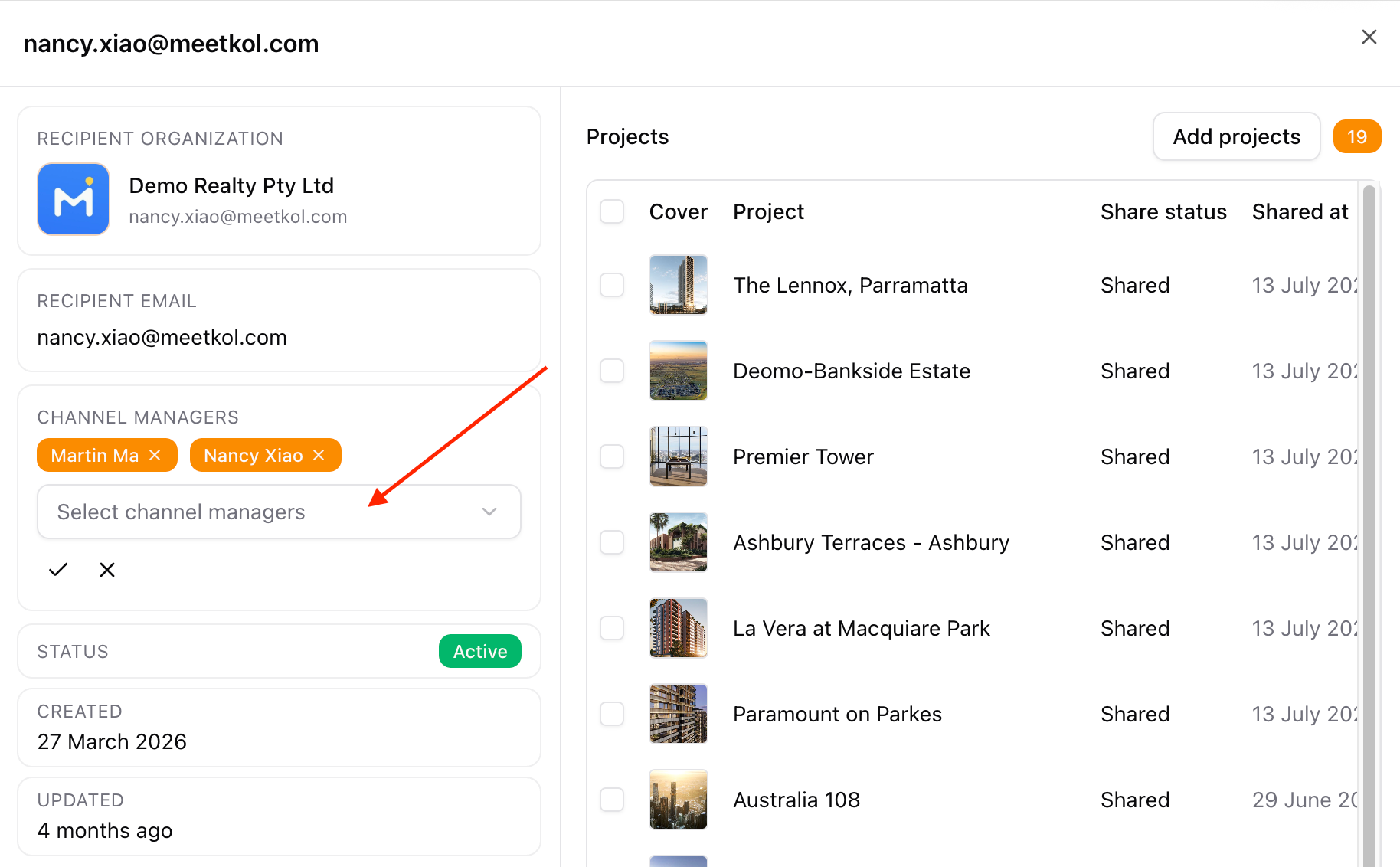
Step 3 – Select Channel Managers
Add or remove Channel Managers as required.
Click Confirm tick to save your changes.
✅ Done
The updated Channel Managers are now displayed to recipients.
Recipients will see the latest contact details the next time they access the shared channel.