Manage an Existing Channel
May 25, 2026
1 min read

Nancy Xiao
Accounts Manager
Once a channel has been created, you can open it at any time to view its details and manage project sharing.
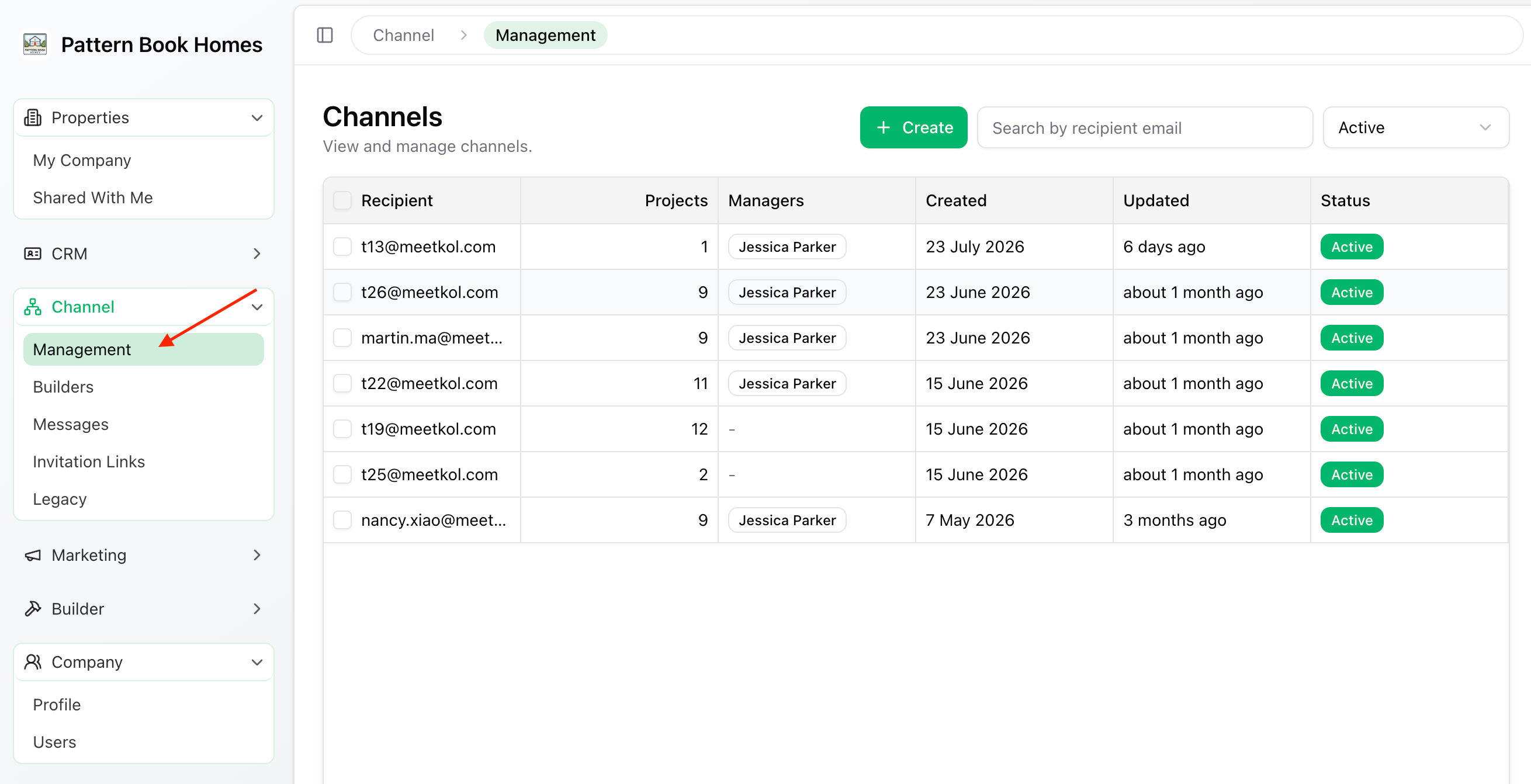
To open a channel, go to:
Channel → Management
Then click the channel you want to manage.
Channel Details
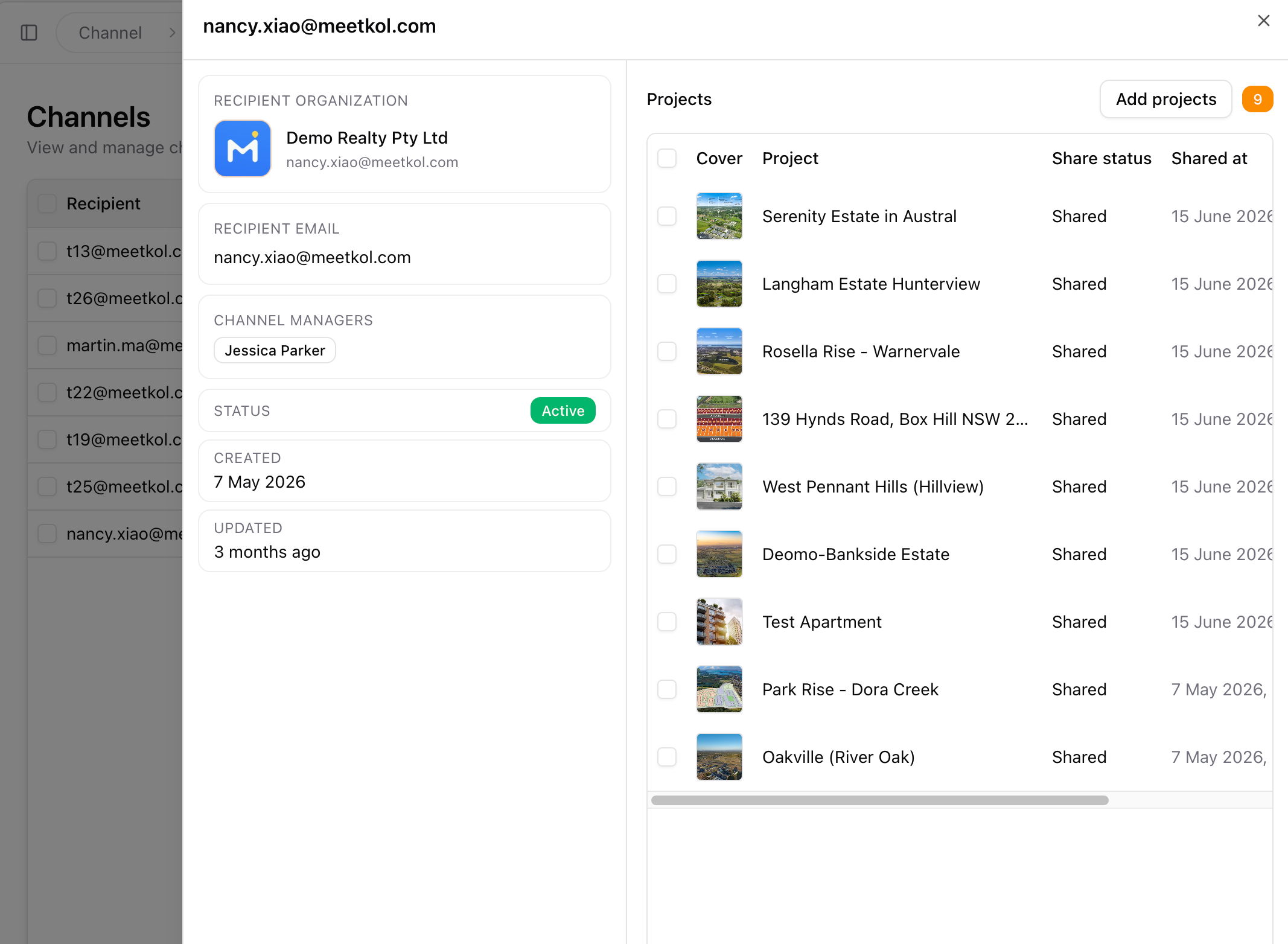
The channel details page provides everything you need to manage the shared relationship, including:
- Recipient Organisation – The organisation this channel is shared with.
- Recipients – The admin users who have access to the shared projects.
- Shared Projects – The projects currently available through this channel.
- Channel Managers – The contact people displayed to recipients for project enquiries.
- Last Updated – The date and time the channel was last modified.
Available Actions
From this page, you can:
- Update the recipient's email address (Transfer the channel to a different recipient by changing the email address)
- Add more shared projects
- Remove shared projects
- Update Channel Managers
Changes take effect immediately, so recipients always have access to the latest project information.