
Add Projects to a Channel
May 25, 2026
1 min read

Nancy Xiao
Accounts Manager
You can add more projects to an existing channel at any time.
Newly added projects become immediately available to all recipients with access to the channel.
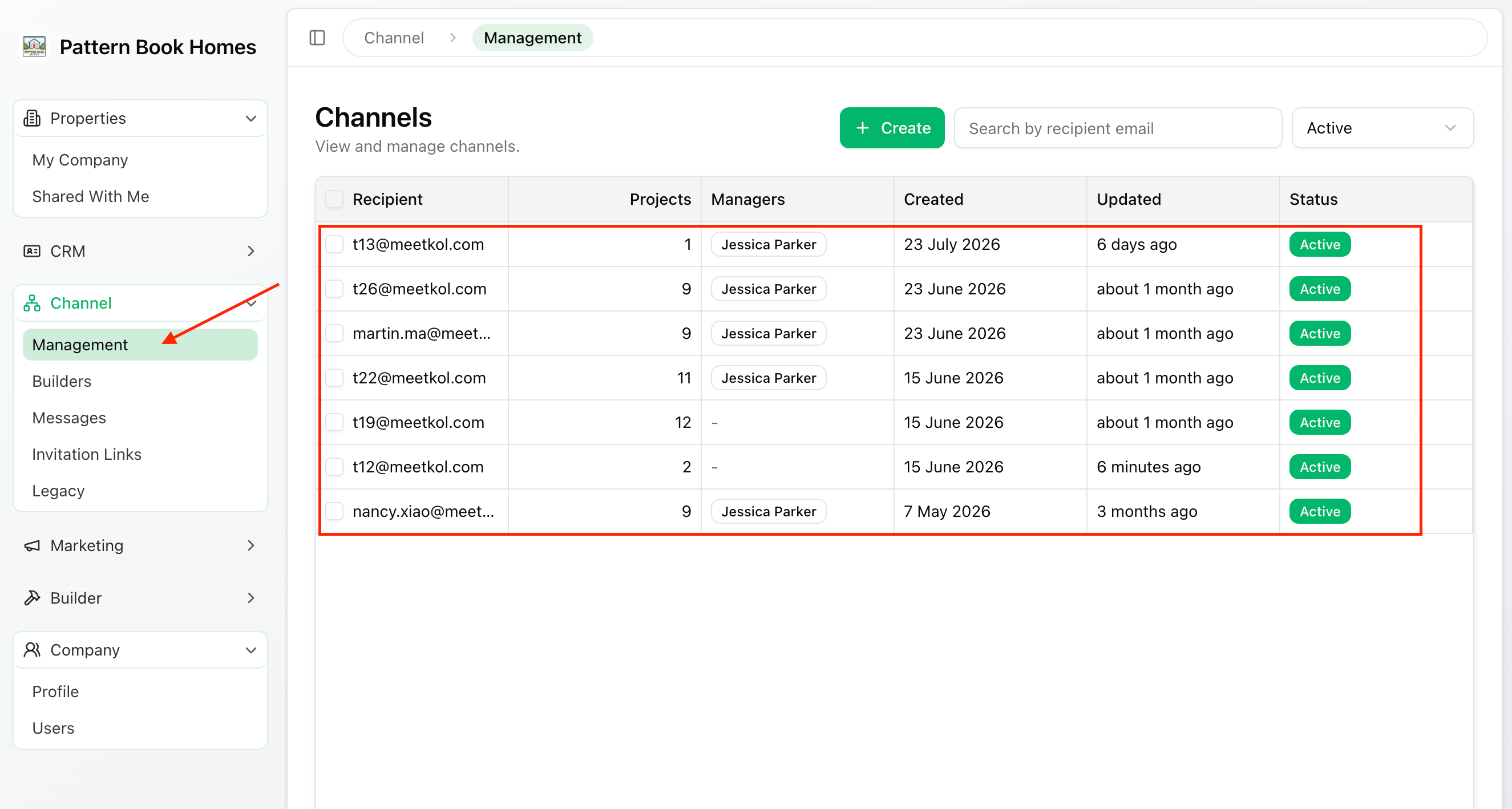
Step 1 – Open the Channel
From the left-hand menu, go to:
Channel → Management
Select the channel you want to update.
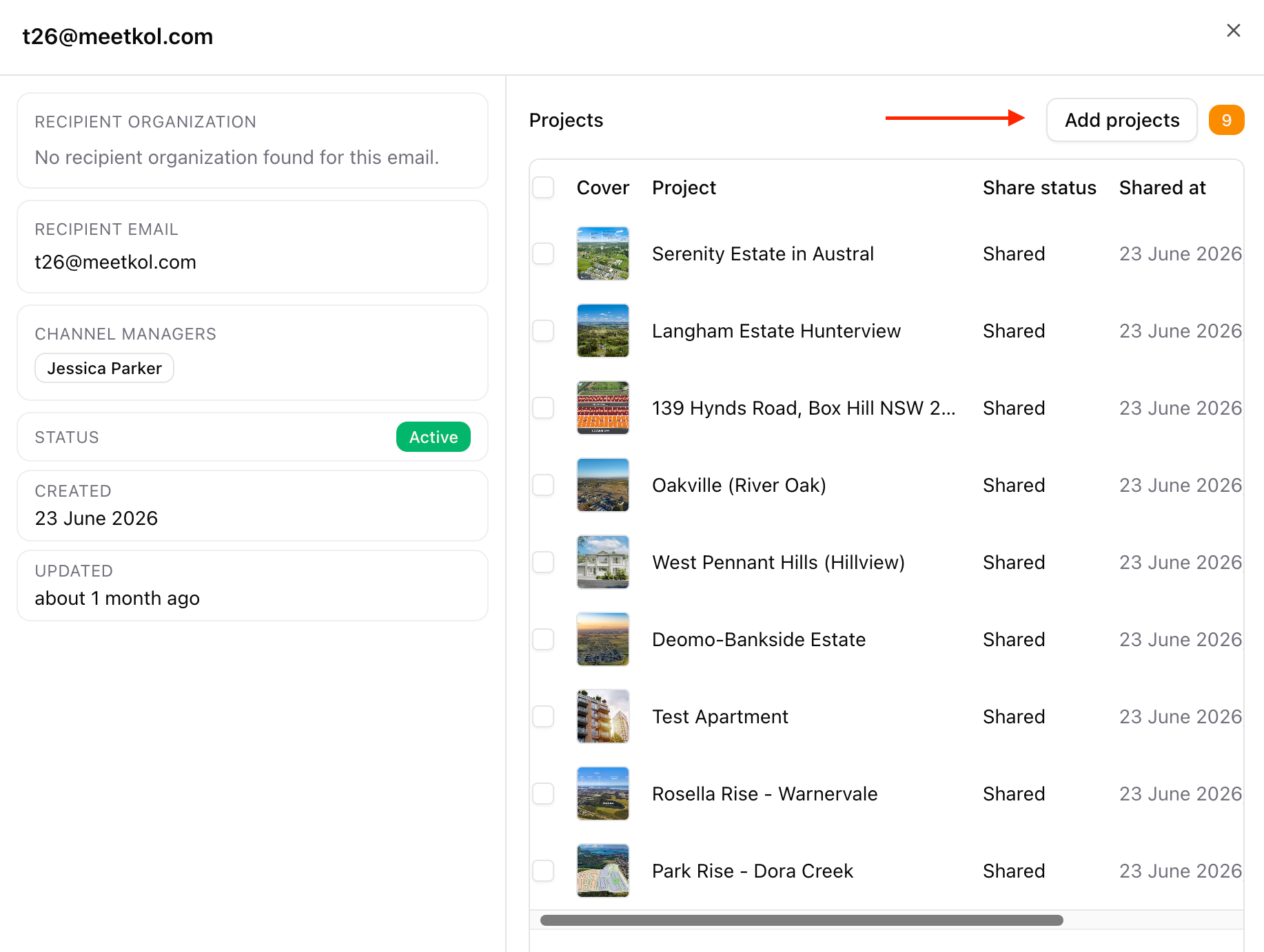
Step 2 – Add Projects
Click Add Projects.
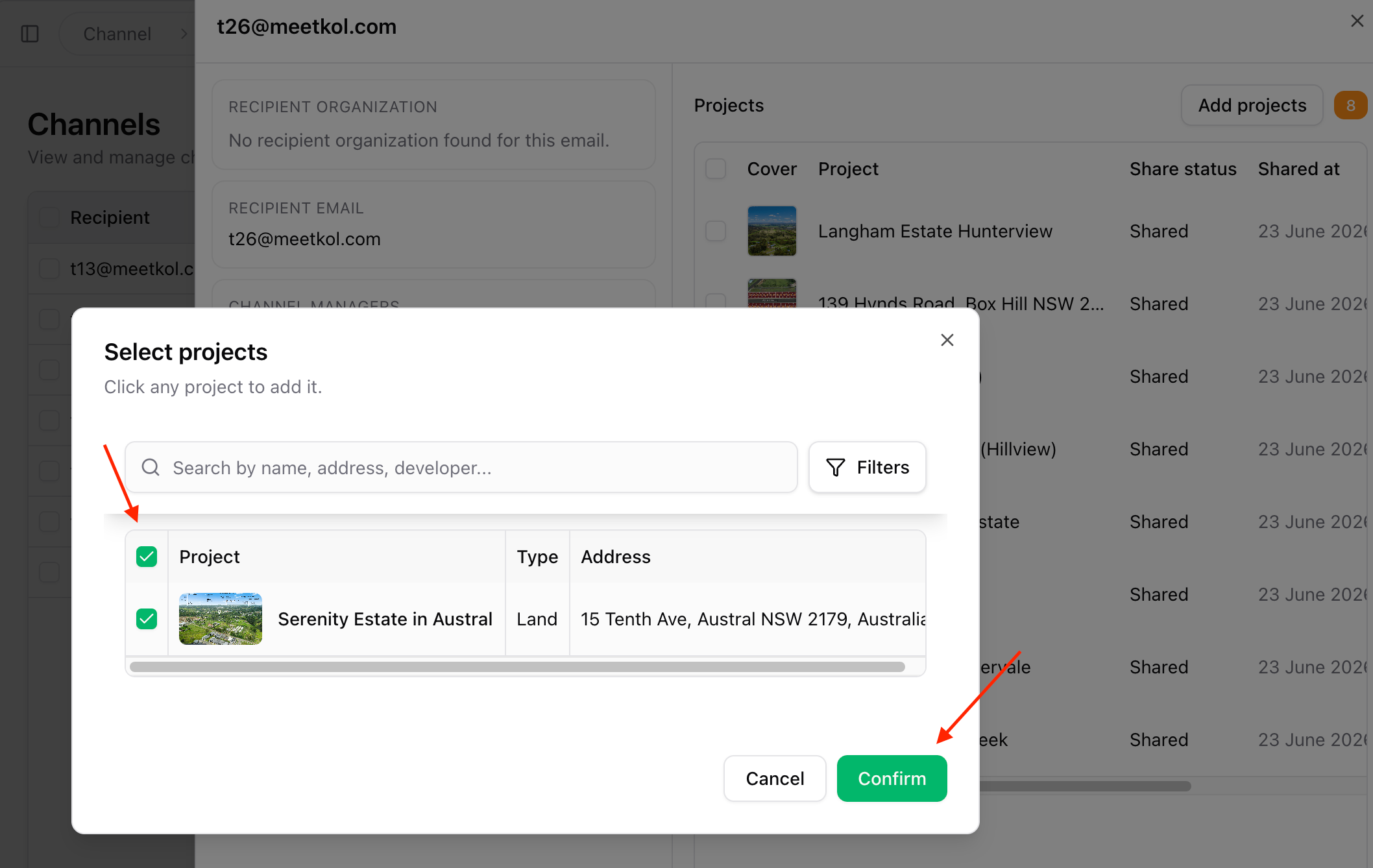
Step 3 – Select Projects
Choose one or more projects to share.
Click Confirm.
✅ Done
The selected projects are now available to all recipients in this channel.
Recipients can access the new projects immediately without requiring a new invitation.