
Remove Projects from a Channel

Nancy Xiao
Accounts Manager
You can remove shared projects from a channel at any time.
When a project is removed, recipients will no longer be able to access it through that channel.
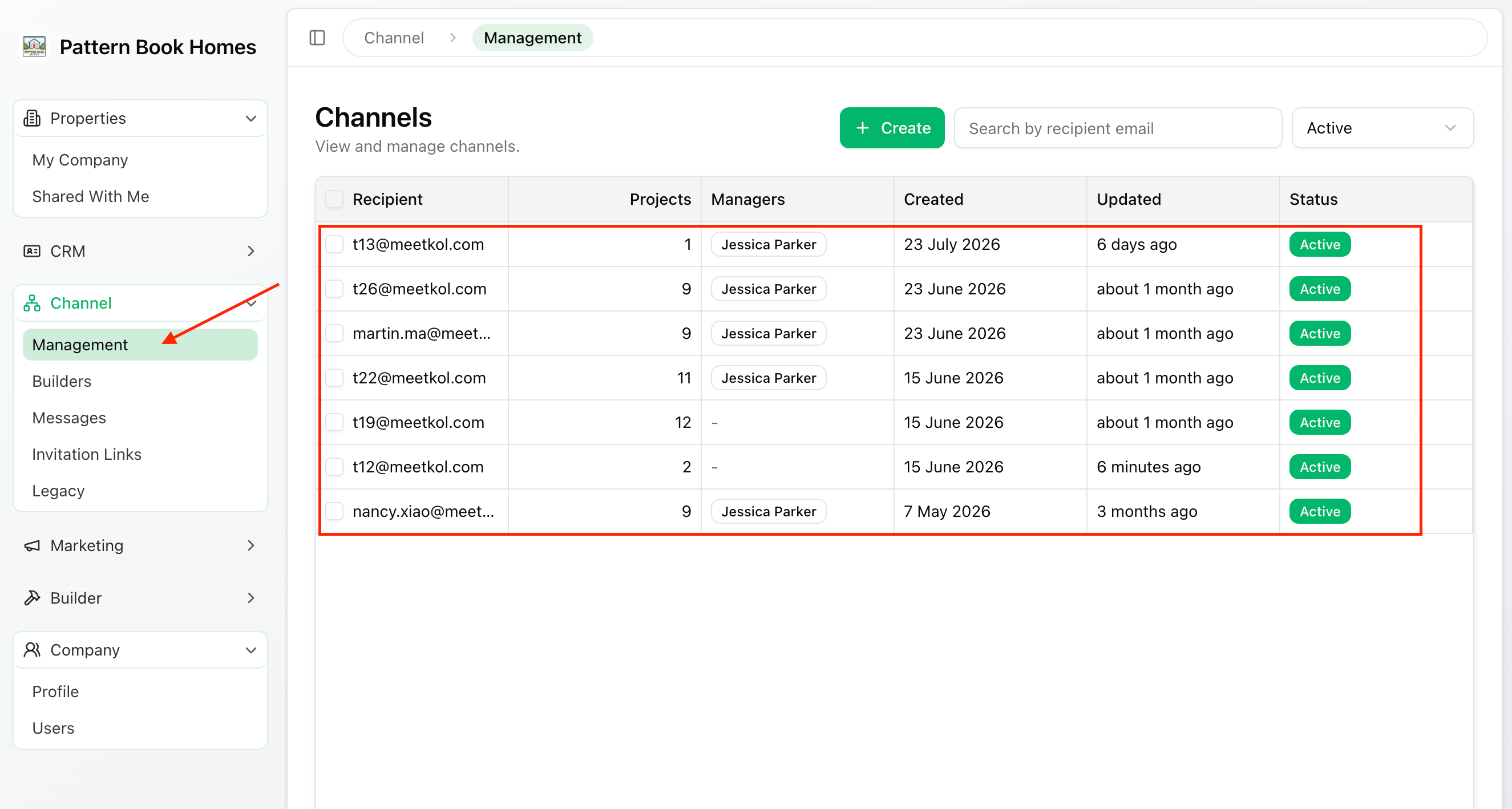
Step 1 – Open the Channel
From the left-hand menu, go to:
Channel → Management
Select the channel you want to update.
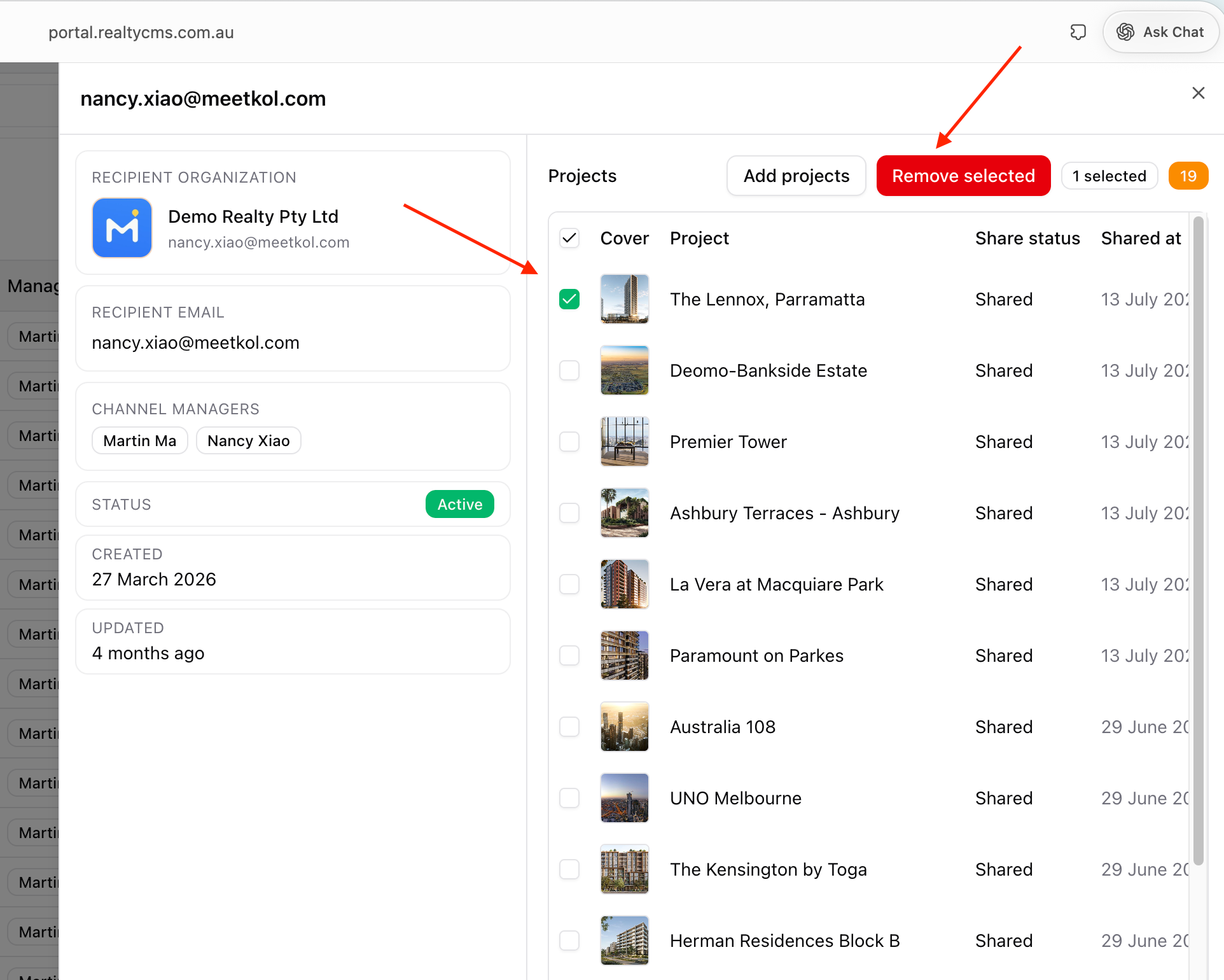
Step 2 – Select the Projects
Select one or more projects you want to remove.
Click Remove Selected.
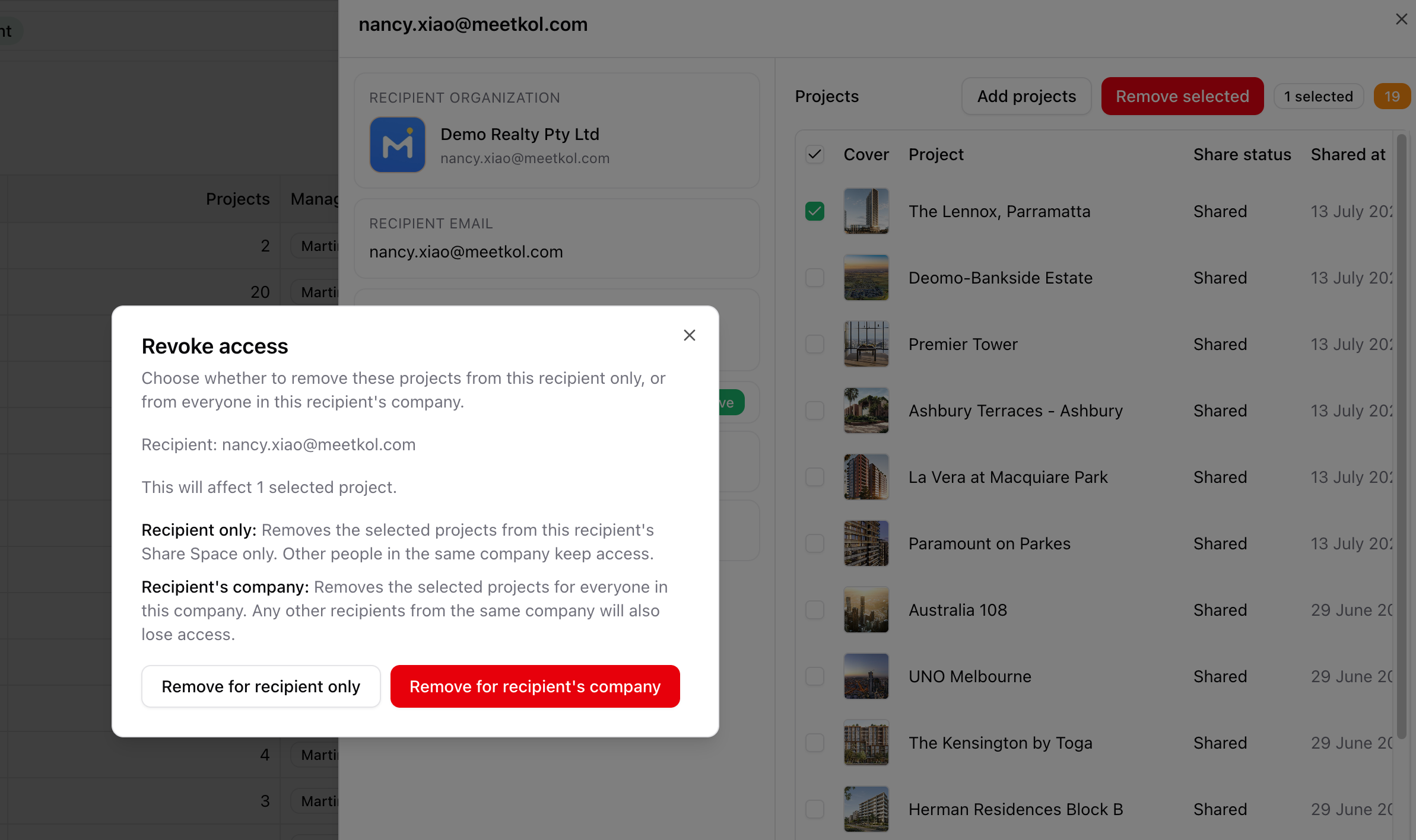
Step 3 – Choose a Removal Option
You'll see two options:
Remove for Recipient Only
Removes the selected project from this recipient only.
Other recipients from the same organisation will continue to have access.
Remove for Recipient's Company
Removes the selected project for everyone in the recipient's organisation.
All users from that organisation will lose access to the selected projects.
✅ Done
The selected projects have now been removed based on the option you chose.
Recipients will no longer be able to access the removed projects through this channel.