
How to Add a Facade
April 22, 2026
3 min read

Nancy Xiao
Accounts Manager
🚀 What you’re doing here
You are creating facade options for your designs.
👉 Facades are used for display, pricing, and brochure generation.
📍 Where to go
Go to:
Builder → Profile → Edit Mode → Facades
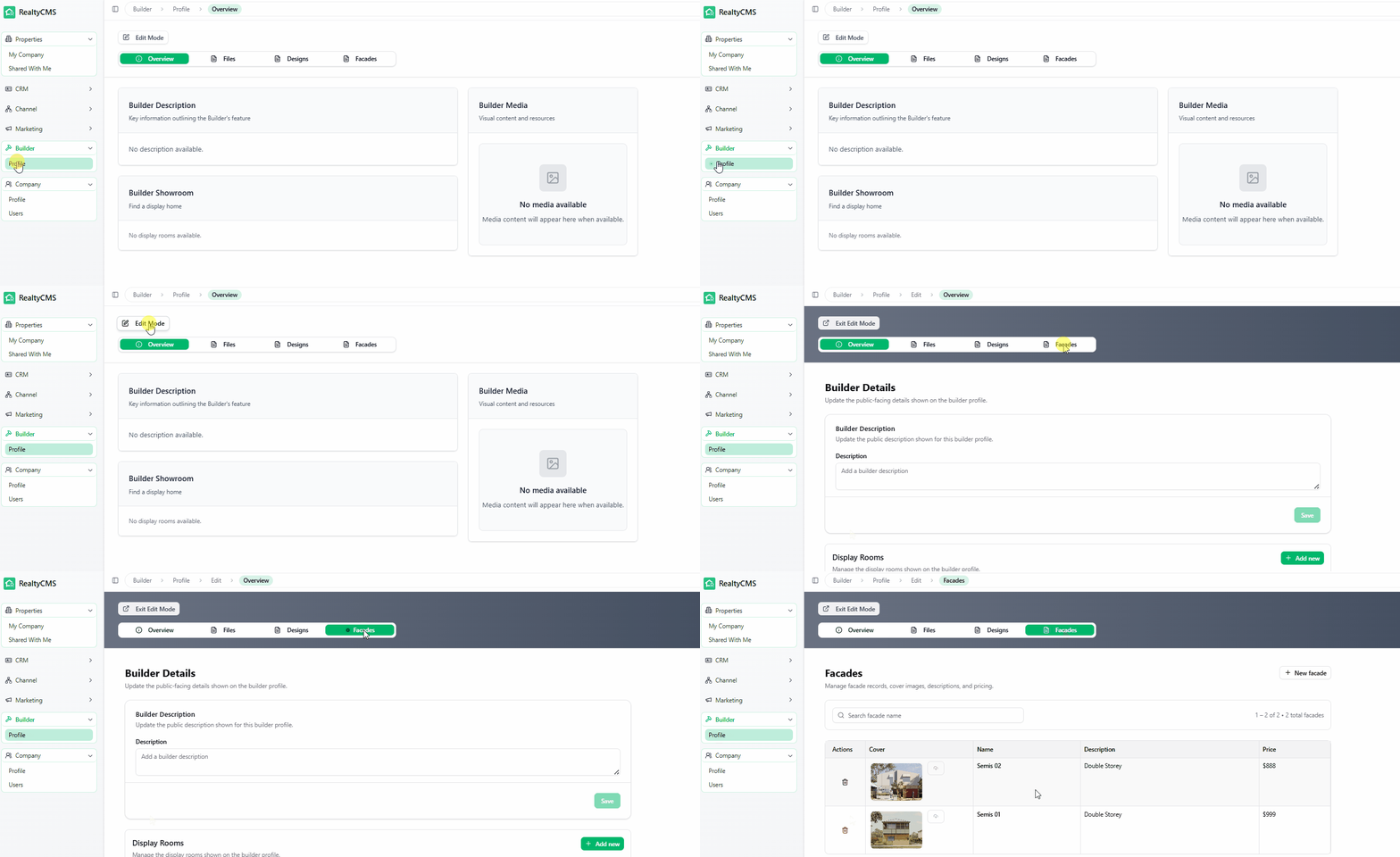
🧱 Create a Facade
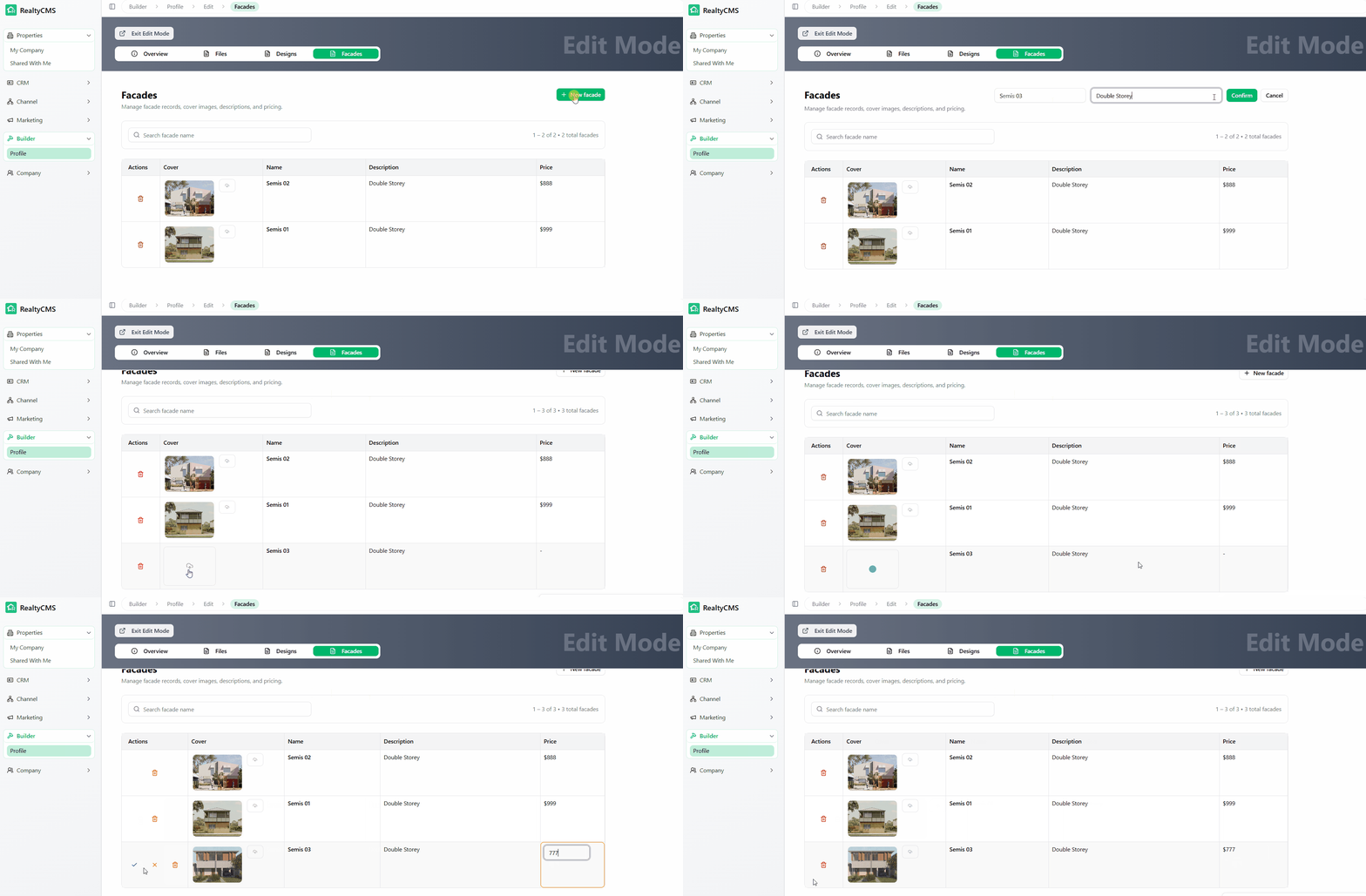
- Click + New Facade
- Enter:
- Facade Name
- Description (optional)
- Click Confirm
👉 A new facade record will be created
🖼️ Upload Facade Image
- Under the Cover column
- Click the image icon
- Upload a facade image from your computer
💲 Set Price
- Enter the price for this facade
✅ Save the Facade
Once everything is entered:
👉 Click the green tick under the Action column to save
💡 Tips
- Use clear, high-quality images
- Keep naming consistent (e.g. Classic, Modern, Hamptons)